- May 07, 2025
- admin
- 0
Playwright Test provides a test function to declare tests and expect function to write assertions.
import { test, expect } from '@playwright/test';

test('basic test', async ({ page }) => {
  await page.goto('https://playwright.dev/');
  const name = await page.innerText('.navbar__title');
  expect(name).toBe('Playwright');
});
Declares a test. test(title, body) test(title, details, body)
Tags
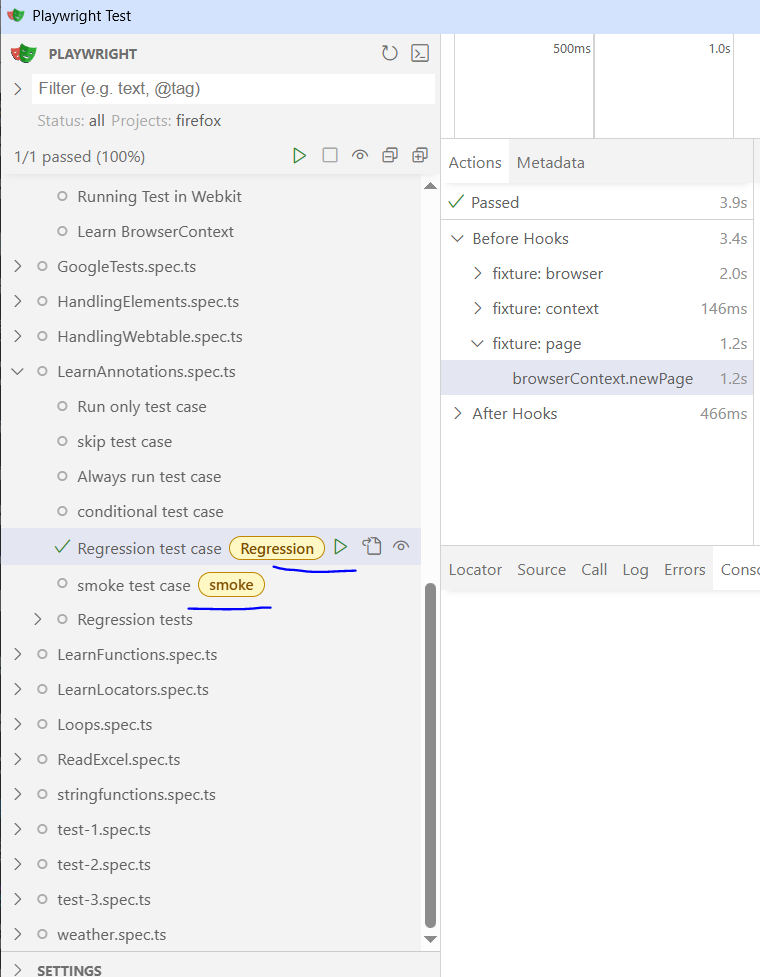
You can tag tests by providing additional test details. Alternatively, you can include tags in the test title. Note that each tag must start with @ symbol.
test(‘Regression test case’, {
tag: ‘@Regression’,
}, async ({ page }) => {
// …
});
test(‘smoke test case’, {
tag: ‘@smoke’,
}, async ({ page }) => {
// …
});
Run test cases in UI mode: npx playwright test –ui
Test tags are displayed in the test report.
Annotations
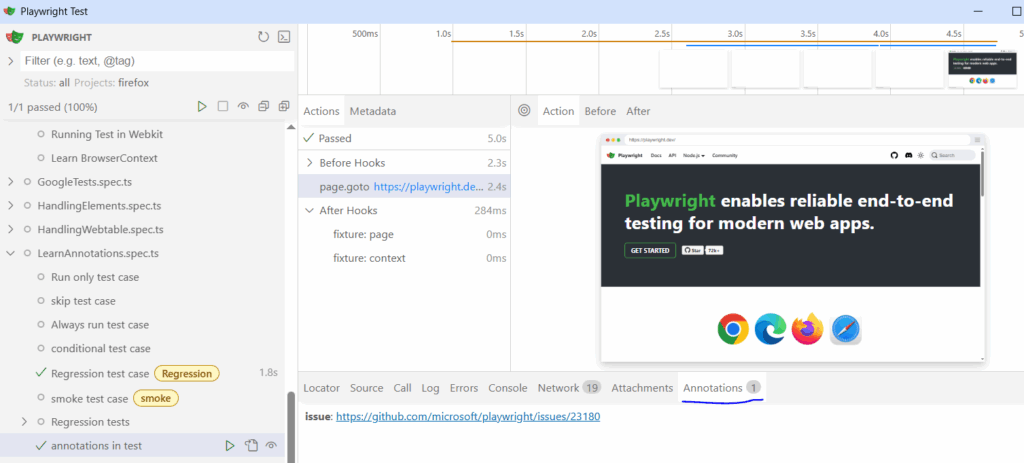
You can annotate tests by providing additional test details.
import { test, expect } from '@playwright/test';

test('basic test', {
  annotation: {
    type: 'issue',
    description: 'https://github.com/microsoft/playwright/issues/23180',
  },
}, async ({ page }) => {
  await page.goto('https://playwright.dev/');
  // ...
});
Test annotations are displayed in the test report.