
- May 20, 2018
- admin
- 0
Selenium with CSharp online/offline training
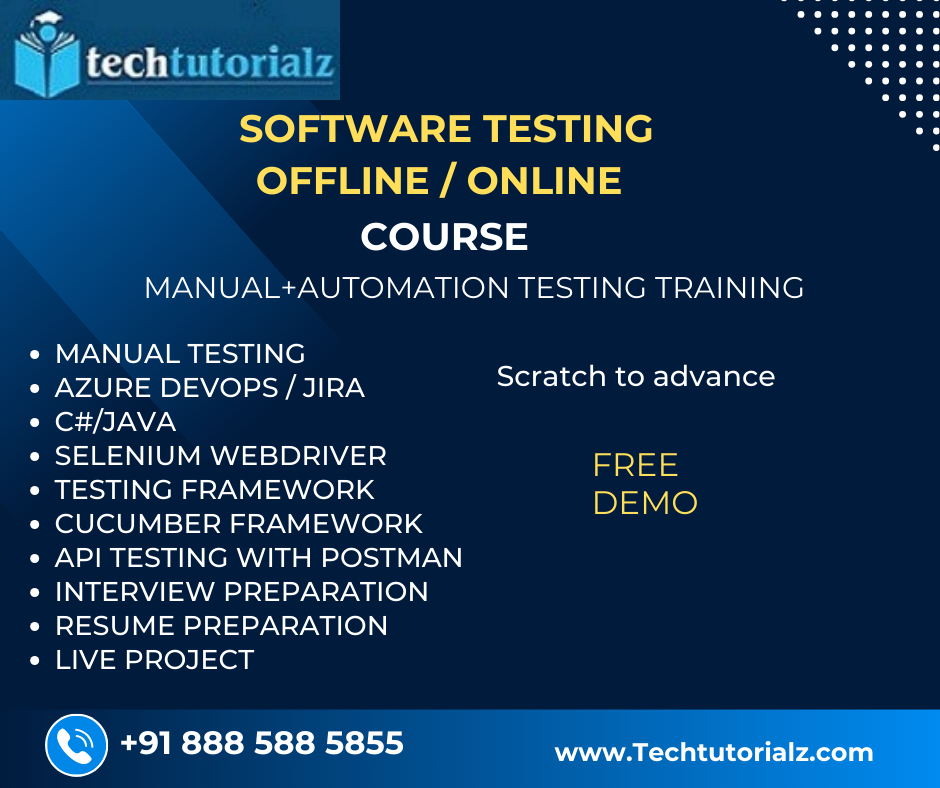
What is this course about?
The Selenium with C# online training program aims at providing participants knowledge on Selenium, one of the best and most widely used automation tools in the world, in combination with the C# programming language. Selenium is an open source automation tool which offers users an unparalleled ability to test web applications and create and manage databases. Because of Selenium’s versatility, scripting languages such as Java, Ruby, Python, and C# are compatible with it and are used for writing Selenium’s test scripts.
C#, on the other hand, is a .NET language which has the capability for reflections without the need for declaring classes and functions, and allows interoperability.
What are the course objectives?
The Selenium with C# online training program focuses on the purpose, and functions of Selenium, object-oriented programming, Selenium IDE and RC as well as the Selenium WebDriver package. It also seeks to enhance the skills of its participants in Selenium Grid, setting up Selenium in visual studio with C#, configuring and using the Selenium remote control, identification of UI elements as well as enhancement of skills in hybrid framework development and integration.
At the end of the course, participants should also be able to schedule automatic test runs, understand and use RTTS helper files, various Selenium script formats and use tools to identify XPath while creating reusable modules that can reduce script maintenance to a large extent. Participants also learn synchronization and the problems that arise with improper synchronization. It also teaches them NUnit usage, JSON using C#, test suite creation.
Who is eligible for the course?
For the smooth flow and understanding of this course, participants should be equipped with a basic knowledge of C# programming language. Experience in software development, an understanding of web-based applications, would also be to the participant’s benefits as it would not only hasten the learning process but also make things much easier for them.
Student’s with an eye on software testing or quality assurance career and even IT professionals who desire to refresh their knowledge in accordance with trends in the computer industry are more than welcome to enroll for the course.
Job Opportunities in Selenium?
Software testers and engineers, Quality Assurance experts and Engineers and IT professionals who have knowledge of Selenium with C# are sought after worldwide with high six figure salaries. Selenium with C# makes the job easier for these professionals, whilst paying them a premium income. It also gives them the leeway to utilize every second of their life for productivity as they learn the various packages.
Selenium with C #
Course Objectives:
- Understand Selenium IDE
- Understand web elements
- Understand NUnit framework
- Taking screen shots using selenium
- Understand Extent Reports
- Handling multiple windows, pop-ups, alerts
- Develop page object model frame work
Module 1: Introduction to Automation Testing
In this module, we can learn about automation testing and when to automate the application. We can also look into different automation tools in the market, and we will discuss about advantages and disadvantages of automation tool.
- what is Automation testing
- Advantages of Automation testing
- Disadvantages of Automation testing
Module 2: History of Selenium
In this module, we will discuss briefly about selenium tool and history of it. We will compare selenium with other tool like QTP and we can look into major components in selenium like Selenium IDE, Selenium RC, Selenium WebDriver and Selenium Grid.
Module 3: Why Selenium tool
In this module you will learn selenium is a portable software-testing framework for web applications. Selenium provides a record/playback tool for authoring tests without the need to learn a test scripting language (Selenium IDE). The tests can then run against most modern web browsers.
Module 4: Differences between Selenium and other Tools
In this module you will learn difference between selenium and others tools advantages of selenium why most people are using selenium.
Module 5: Different components in Selenium
In this module you will learn components in selenium, Selenium IDE, Selenium RC, Selenium Web Driver, Selenium GRID what is the importance of each component.
Module 6: C# topics for Selenium
In this module you will learn basics of knowledge of C# OOPs concepts and Collections which will be integrated with selenium
- Introduction to C#
- Data types
- Control Statements
- Strings
- Arrays
- OOPS Concept
- Class
- Object
- Constructor
- Encapsulation
- Inheritance
- Polymorphism
- Abstraction
- Interface
- Exception Handling
- Collections
- File Handling
Module 7: Selenium IDE
In this module you will learn Selenium IDE is an integrated development environment for Selenium tests. It is implemented as a Firefox extension, and allows you to record, edit, and debug tests.
- Installation and Introduction to IDE
- Creating first script using record and playback
- Installation of Inspector Tools and its Uses.
- Generating Scripts using different WebElement
- Handling Wait Commands
- Handling Validations Commands
- Handling Store Commands
- Limitations of IDE
Module 8: Set Up Selenium with Visual Studio
In this module you will learn Installation of Visual Studio and how to configure Selenium with Visual Studio
- Download and Install Visual Studio
- Set Up Selenium with Visual Studio in C#
- How to write Selenium Test using NUnit Framework
- Running Test in Chrome browser
- Running Test in IE Explorer
- Internet Explorer Driver Server
- Challenges with IE browser in Selenium WebDriver
Module9: Locators & XPath
In this module you will learn how to identify the Web Elements, Xpath how to inspect Xpath, creating xpaths
- Use Of Browser Inspector
- Firebug & Fire Path
- HTML Locators
- Element Locator for WebDriver
- XPath Helper Plug-in for Chrome
- Fire-IE-Selenium
- Effective XPath
Locators in Selenium:
- Id
- Name
- Linktext
- PartialLinktext
- CSSSelector
- Xpath
- Types of Xpaths
- Xpath: Contains() function
- Xpath: Text() method
- Axes Methods in Xpath
- AND, OR Operators in Xpaths
Module 10: Selenium WebDriver
In this module you will learn how to handle basic functionalities, How to write Selenium script and Debugging Script.
- Selenium Introduction
- First Program on selenium
- Verify Page title, URL in Selenium Webdriver
- Navigation methods in selenium
- Interacting with Textbox
- Interacting with Radio button and Checkbox
- Handling DropdownList in Selenium
- Handling Stale element Exception
- Handling Browser Options in Selenium
- Handling Cookies in Selenium
- Desired Capabilities in Selenium
Module 11: Actions Class
- Handling Drag and Drop in Selenium
- Handling Mouse Hover
- RightClick
- DoubleClick
- ScrollToElement
- Keyup
- Keydown
Module 12: Synchronization using webdriver
- Implicit Wait
- Explicit Wait
- Fluent Wait
Handling Webtables, Upload/Download Files, Take screenshots in selenium
- Handling File upload using Auto IT
- How to take screenshot using selenium
- How to capture Error message using webdriver
- Cross Browsing using selenium
- Complete details of Dynamic XPath in Selenium
- Program on CSS in selenium
- How to download files in Selenium Webdriver.
- Handling WebTable
- How to use Logs File in selenium
Module 13: Switches Alerts & Windows
In this module you will learn handling multiple windows, popups, Alerts IFrames
- Switch Commands in Selenium
- Different types of Alerts
- Handling Multiple Windows
- Handle Unexpected Alert
- Expected Condition Wait
- Handling IFrames using WebDriver
- Interacting with elements inside IFrame
Module 14: Frameworks:
In this module you will learn the organization’s way of doing things – a ‘Single Standard’. This standard would result in the project team achieving Script-less representation of automated tests, Data Driven, Reports.
- What is Framework
- Types of Framework
- Use of Framework
Module 15: Page Object Model Framework:
In this module you will learn how to create POM frame work using Nunit Frame work Page Object model using Nunit frame work
Implementing the BDD Framework using Specflow.
Testing with Agile
Module 16: BDD Framework:
Behavior-driven development (BDD)
Pros and cons of BDD
Fundamentals of Cucumber
Cucumber Gherkin syntax
Cucumber feature file step definition
Cucumber benefits
Using Cucumber to implement the BDD framework
Module 17: Page Object Model with PageFactory:
Module18: CI/CD Pipelines basics (Azure, Jenkins)
Module19: Comparison of Selenium with C# and Selenium with Java.
Module 20: Realtime concepts in selenium and frameworks used in IT Industry. (Data driven testing in selenium with C#)
Module 21: writing custom methods to work with simple tables in selenium
Module 22: Advanced Framework development with Selenium and C#
Module 23: N-Unit Framework Introduction and details
Module 24: Parallel execution of selenium tests with NUnit
Module 25: Running chrome in Headless mode in Selenium C#.
Module 26: Visual Studio details and Installation
Module 27: Selenium Integration with Jenkins tool.
Module 28: Reporting using Selenium and C# to generate useful Reports.
Summary of the Course:
At the end of the course participants will be able to..
1. Work with Input boxes, Check boxes, Radio buttons, Alert boxes and more
2. Work with Page Object Model and implement it correctly
3. Create a Healthy Selenium Automation Framework
4. Parallel Testing with Selenium and NUnit3
5. Using Different Browsers – Chrome, Opera, Internet Explorer, Firefox
6. Taking Screenshots with Selenium
7. Working with Browser Properties (Size, Location, New Tabs/Windows, Tabs/Windows Handles)
8. Generating beautiful HTML Reports for our Test Results with Selenium and NUnit3
9. Work with ID, Name, CSSPath and XPath Selectors and know when to use each one of them in Selenium
10. Work with Jenkins and comparison with other tools.
11. Test Automation Framework design and development with Selenium and C# from Scratch using Visual Studio.
12. IT Industry specific framework design and development techniques in Selenium and C#.
View other tranings provided by TechTutorialz.
Selenium with C#/Java Training, Job support, Interview support provided..
Contact: +91 888 588 5855 /Training@Techtutorialz.com
Tags: Selenium Training, Selenium Tutorial
