
- Jul 12, 2026
- admin
- 0
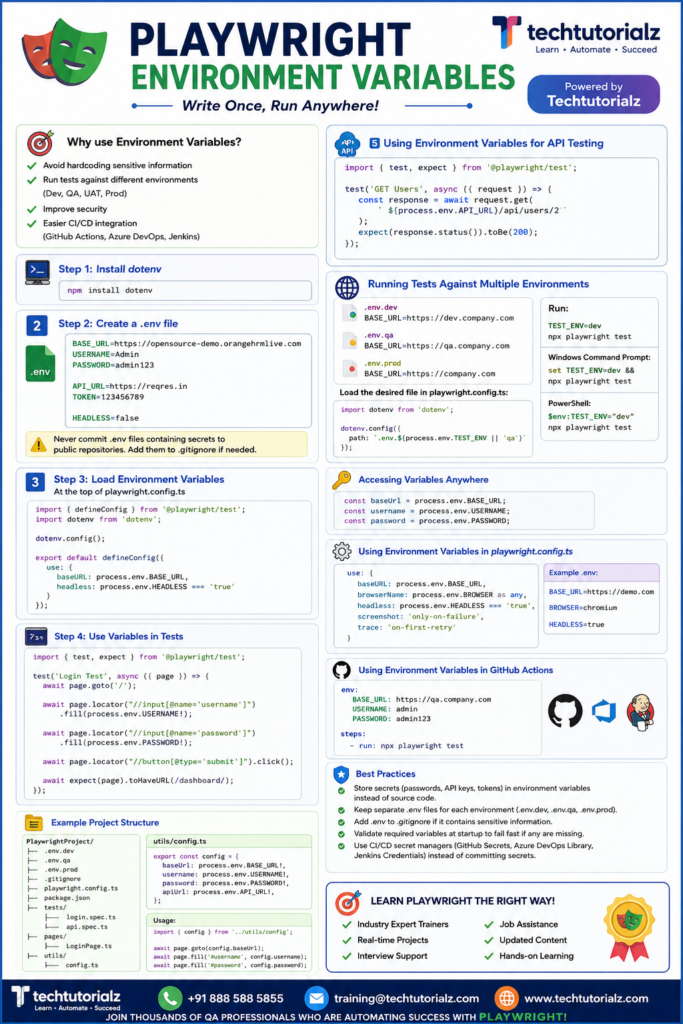
Environment Variables in Playwright
Why use Environment Variables?
✅ Avoid hardcoding sensitive information
✅ Run tests against different environments (Dev, QA, UAT, Prod)
✅ Improve security
✅ Easier CI/CD integration (GitHub Actions, Azure DevOps, Jenkins)
Step 1: Install dotenv
npm install dotenv
Step 2: Create a .env file
BASE_URL=https://opensource-demo.orangehrmlive.com
USERNAME=Admin
PASSWORD=admin123
API_URL=https://reqres.in
TOKEN=123456789
HEADLESS=false
Never commit .env files containing secrets to public repositories. Add them to .gitignore if needed.
Step 3: Load Environment Variables
At the top of playwright.config.ts
import { defineConfig } from ‘@playwright/test’;
import dotenv from ‘dotenv’;
dotenv.config();
export default defineConfig({
use: {
baseURL: process.env.BASE_URL,
headless: process.env.HEADLESS === ‘true’
}
});
Step 4: Use Variables in Tests
import { test, expect } from ‘@playwright/test’;
test(‘Login Test’, async ({ page }) => {
await page.goto(‘/’);
await page.locator(“//input[@name=’username’]”)
.fill(process.env.USERNAME!);
await page.locator(“//input[@name=’password’]”)
.fill(process.env.PASSWORD!);
await page.locator(“//button[@type=’submit’]”).click();
await expect(page).toHaveURL(/dashboard/);
});
Using Environment Variables for API Testing
import { test, expect } from ‘@playwright/test’;
test(‘GET Users’, async ({ request }) => {
const response = await request.get(
`${process.env.API_URL}/api/users/2`
);
expect(response.status()).toBe(200);
});
Running Tests Against Multiple Environments
.env.dev
BASE_URL=https://dev.company.com
.env.qa
BASE_URL=https://qa.company.com
.env.prod
BASE_URL=https://company.com
Load the desired file in playwright.config.ts:
import dotenv from ‘dotenv’;
dotenv.config({
path: `.env.${process.env.TEST_ENV || ‘qa’}`
});
Run:
TEST_ENV=dev npx playwright test
Windows Command Prompt:
set TEST_ENV=dev && npx playwright test
PowerShell:
$env:TEST_ENV=”dev”
npx playwright test
Accessing Variables Anywhere
const baseUrl = process.env.BASE_URL;
const username = process.env.USERNAME;
const password = process.env.PASSWORD;
Using Environment Variables in playwright.config.ts
use: {
baseURL: process.env.BASE_URL,
browserName: process.env.BROWSER as any,
headless: process.env.HEADLESS === ‘true’,
screenshot: ‘only-on-failure’,
trace: ‘on-first-retry’
}
Example .env:
BASE_URL=https://demo.com
BROWSER=chromium
HEADLESS=true
Using Environment Variables in GitHub Actions
env:
BASE_URL: https://qa.company.com
USERNAME: admin
PASSWORD: admin123
steps:
– run: npx playwright test
Best Practices
- Store secrets (passwords, API keys, tokens) in environment variables instead of source code.
- Keep separate .env files for each environment (.env.dev, .env.qa, .env.prod).
- Add .env to .gitignore if it contains sensitive information.
- Validate required variables at startup to fail fast if any are missing.
- Use CI/CD secret managers (GitHub Secrets, Azure DevOps Library, Jenkins Credentials) instead of committing secrets.
Example Project Structure
PlaywrightProject/
│
├── .env.dev
├── .env.qa
├── .env.prod
├── .gitignore
├── playwright.config.ts
├── package.json
│
├── tests/
│ ├── login.spec.ts
│ └── api.spec.ts
│
├── pages/
│ └── LoginPage.ts
│
└── utils/
└── config.ts
utils/config.ts
export const config = {
baseUrl: process.env.BASE_URL!,
username: process.env.USERNAME!,
password: process.env.PASSWORD!,
apiUrl: process.env.API_URL!,
};
Usage:
import { config } from ‘../utils/config’;
await page.goto(config.baseUrl);
await page.fill(‘#username’, config.username);
await page.fill(‘#password’, config.password);
Master Playwright from Scratch! Explore our complete Playwright Tutorial collection covering:
- Playwright Basics
- Locators
- Assertions
- Timeouts
- Browser Context
- Frames & iFrames
- Auto Waiting & Timeouts
- API Testing
- Network Interception
- Authentication
- Fixtures
- Parallel Execution
- CI/CD
- AI in Playwright
👉 Browse all Playwright tutorials: Playwright Tutorial


