
- Jul 14, 2026
- admin
- 0
Upload the files using API in Playwright
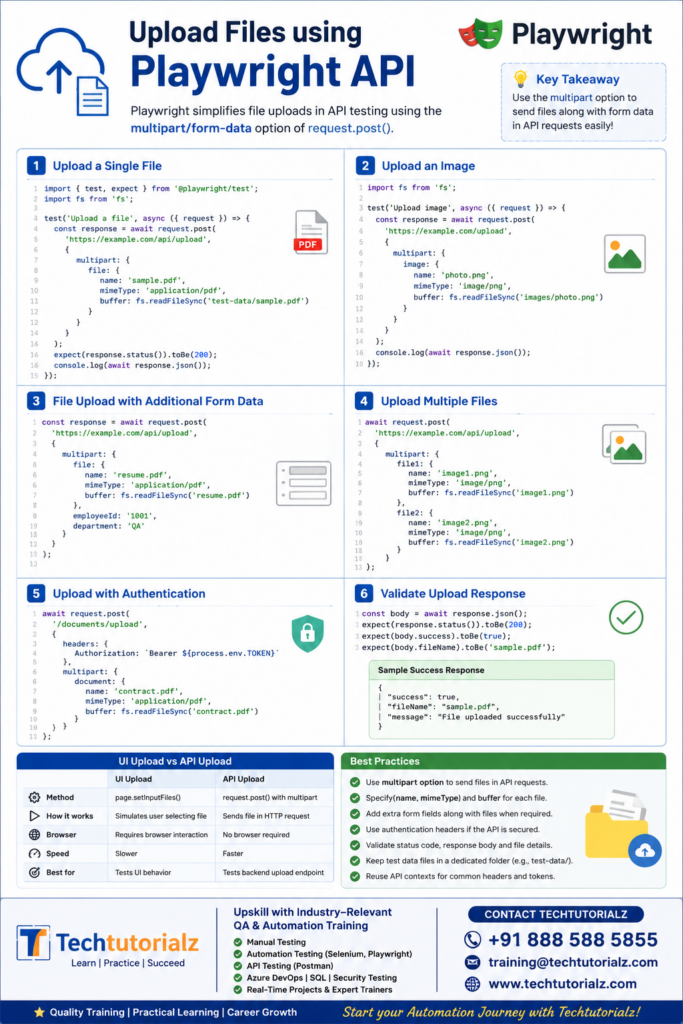
In Playwright API testing, file uploads are performed by sending a multipart/form-data request using the multipart option. Unlike UI automation (where you use page.setInputFiles()), API uploads send the file directly in the HTTP request.
Example 1: Upload a Single File
Assume you have a file named sample.pdf inside the test-data folder.
import { test, expect } from ‘@playwright/test’;
import fs from ‘fs’;
test(‘Upload a file’, async ({ request }) => {
const response = await request.post(
‘https://example.com/api/upload’,
{
multipart: {
file: {
name: ‘sample.pdf’,
mimeType: ‘application/pdf’,
buffer: fs.readFileSync(‘test-data/sample.pdf’)
}
}
}
);
expect(response.status()).toBe(200);
console.log(await response.json());
});
Example 2: Upload an Image
import { test } from ‘@playwright/test’;
import fs from ‘fs’;
test(‘Upload image’, async ({ request }) => {
const response = await request.post(
‘https://example.com/upload’,
{
multipart: {
image: {
name: ‘photo.png’,
mimeType: ‘image/png’,
buffer: fs.readFileSync(‘images/photo.png’)
}
}
}
);
console.log(await response.json());
});
Example 3: Upload File with Additional Form Data
Many APIs require extra fields along with the file.
import fs from ‘fs’;
const response = await request.post(
‘https://example.com/api/upload’,
{
multipart: {
file: {
name: ‘resume.pdf’,
mimeType: ‘application/pdf’,
buffer: fs.readFileSync(‘resume.pdf’)
},
employeeId: ‘1001’,
department: ‘QA’
}
}
);
Example 4: Upload Multiple Files
import fs from ‘fs’;
await request.post(
‘https://example.com/api/upload’,
{
multipart: {
file1: {
name: ‘image1.png’,
mimeType: ‘image/png’,
buffer: fs.readFileSync(‘image1.png’)
},
file2: {
name: ‘image2.png’,
mimeType: ‘image/png’,
buffer: fs.readFileSync(‘image2.png’)
}
}
}
);
Upload with Authentication
import fs from ‘fs’;
await request.post(
‘/documents/upload’,
{
headers: {
Authorization: `Bearer ${process.env.TOKEN}`
},
multipart: {
document: {
name: ‘contract.pdf’,
mimeType: ‘application/pdf’,
buffer: fs.readFileSync(‘contract.pdf’)
}
}
}
);
Validate Upload Response
const body = await response.json();
expect(response.status()).toBe(200);
expect(body.success).toBe(true);
expect(body.fileName).toBe(‘sample.pdf’);
UI Upload vs API Upload
| UI Upload | API Upload |
| page.setInputFiles() | request.post() with multipart |
| Simulates a user selecting a file | Sends the file directly in the HTTP request |
| Requires browser interaction | No browser required |
| Slower | Faster |
| Tests UI behavior | Tests backend upload endpoint |
Master Playwright from Scratch! Explore our complete Playwright Tutorial collection covering:
- Playwright Basics
- Locators
- Assertions
- Timeouts
- Browser Context
- Frames & iFrames
- Auto Waiting & Timeouts
- API Testing
- Network Interception
- Authentication
- Fixtures
- Parallel Execution
- CI/CD
- AI in Playwright
👉 Browse all Playwright tutorials: Playwright Tutorial


