
- Jul 09, 2026
- admin
- 0
Reading JSON, Excel, and CSV files is a very common requirement in Playwright for data-driven testing. Here’s a complete guide with examples using Playwright + TypeScript.

Reading JSON in Playwright
JSON is the easiest format because Node.js supports it natively.
Sample JSON (users.json)
[
  {
    "username": "admin",
    "password": "admin123"
  },
  {
    "username": "john",
    "password": "john123"
  }
]
Read JSON
import test from '@playwright/test';
import users from '../testdata/users.json';
test('Read JSON', async () => {
    console.log(users);
    console.log(users[0].username);
    console.log(users[0].password);
});
Output
admin
admin123
Reading Excel in Playwright
Install Excel library.
npm install xlsxSample Excel
| Username | Password |
|---|---|
| admin | admin123 |
| john | john123 |
Read Excel
import * as XLSX from 'xlsx';
const workbook = XLSX.readFile('testdata/users.xlsx');
const sheet = workbook.Sheets[workbook.SheetNames[0]];
const data = XLSX.utils.sheet_to_json(sheet);
console.log(data);
Output
[
  { Username: 'admin', Password: 'admin123' },
  { Username: 'john', Password: 'john123' }
]
Loop through Excel rows
for(const row of data){
    console.log(row.Username);
    console.log(row.Password);
}
Reading CSV in Playwright
Install csv parser
npm install csv-parserusers.csv
Username,Password
admin,admin123
john,john123
Read CSV
import fs from 'fs';
import csv from 'csv-parser';
const results:any[] = [];
fs.createReadStream('testdata/users.csv')
.pipe(csv())
.on('data',(data)=>{
    results.push(data);
})
.on('end',()=>{
    console.log(results);
});
Output
[
 { Username: 'admin', Password: 'admin123' },
 { Username: 'john', Password: 'john123' }
]
Using Test Data in Playwright
import test from '@playwright/test';
import * as XLSX from 'xlsx';
const workbook = XLSX.readFile('testdata/users.xlsx');
const sheet = workbook.Sheets[workbook.SheetNames[0]];
const users:any = XLSX.utils.sheet_to_json(sheet);
for(const user of users){
test(`Login ${user.Username}`, async ({ page }) => {
    await page.goto('https://example.com');
    await page.fill('#username', user.Username);
    await page.fill('#password', user.Password);
    await page.click('button[type=submit]');
});
}
Each row becomes a separate Playwright test.
Recommended Project Structure
PlaywrightProject
│
├── tests
│      login.spec.ts
│
├── testdata
│      users.json
│      users.xlsx
│      users.csv
│
├── utils
│      excelReader.ts
│      csvReader.ts
│      jsonReader.ts
│
├── playwright.config.ts
└── package.json
Utility Function for Excel
import * as XLSX from 'xlsx';
export function readExcel(path: string) {
    const workbook = XLSX.readFile(path);
    const sheet = workbook.Sheets[workbook.SheetNames[0]];
    return XLSX.utils.sheet_to_json(sheet);
}
Usage
import { readExcel } from '../utils/excelReader';
const users:any = readExcel('testdata/users.xlsx');
console.log(users);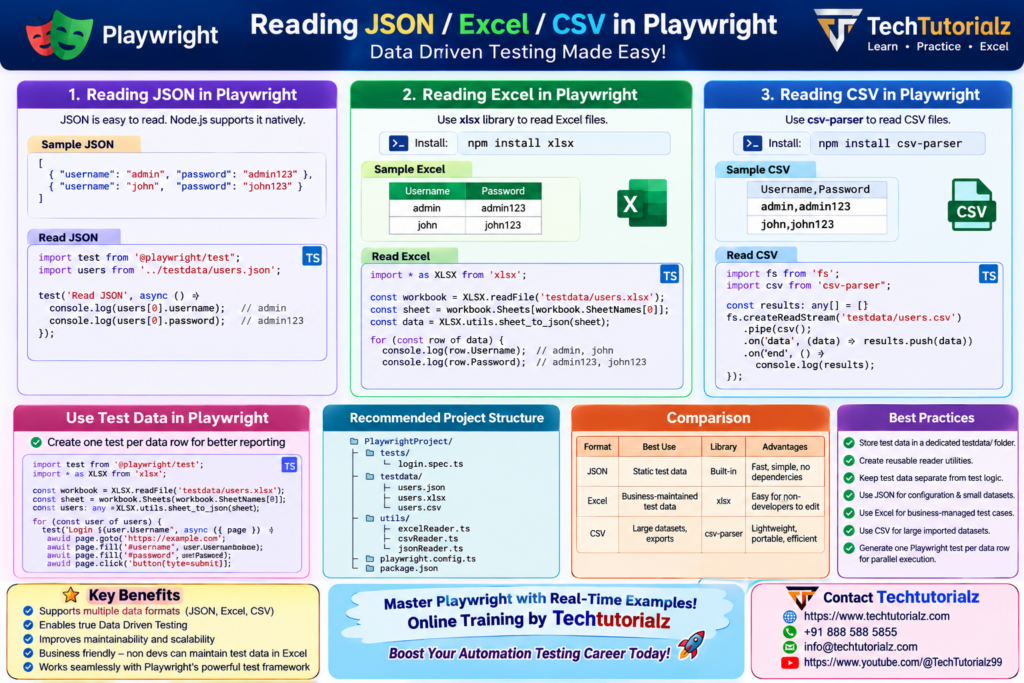
Comparison
| Format | Best Use | Library | Advantages |
|---|---|---|---|
| JSON | Static test data | Built into Node.js | Fast, simple, no dependencies |
| Excel (.xlsx) | Business-maintained test data | xlsx |
Easy for non-developers to edit |
| CSV | Large datasets, exports | csv-parser |
Lightweight, portable, efficient |


