
- May 19, 2025
- admin
- 0
Command Line Options to Run Test cases
Here are the most common options available in the command line.
- Run all the tests
npx playwright testRun test cases from a single test file
npx playwright test google.spec.tsRun a set of test files (following command will run test cases from google.spec.ts,demo.spec.ts files)
npx playwright test google demoRun files that have
my-specormy-spec-2in the file namenpx playwright test my-spec my-spec-2Run tests that are in line 19 in google.spec.ts
npx playwright test google.spec.ts:19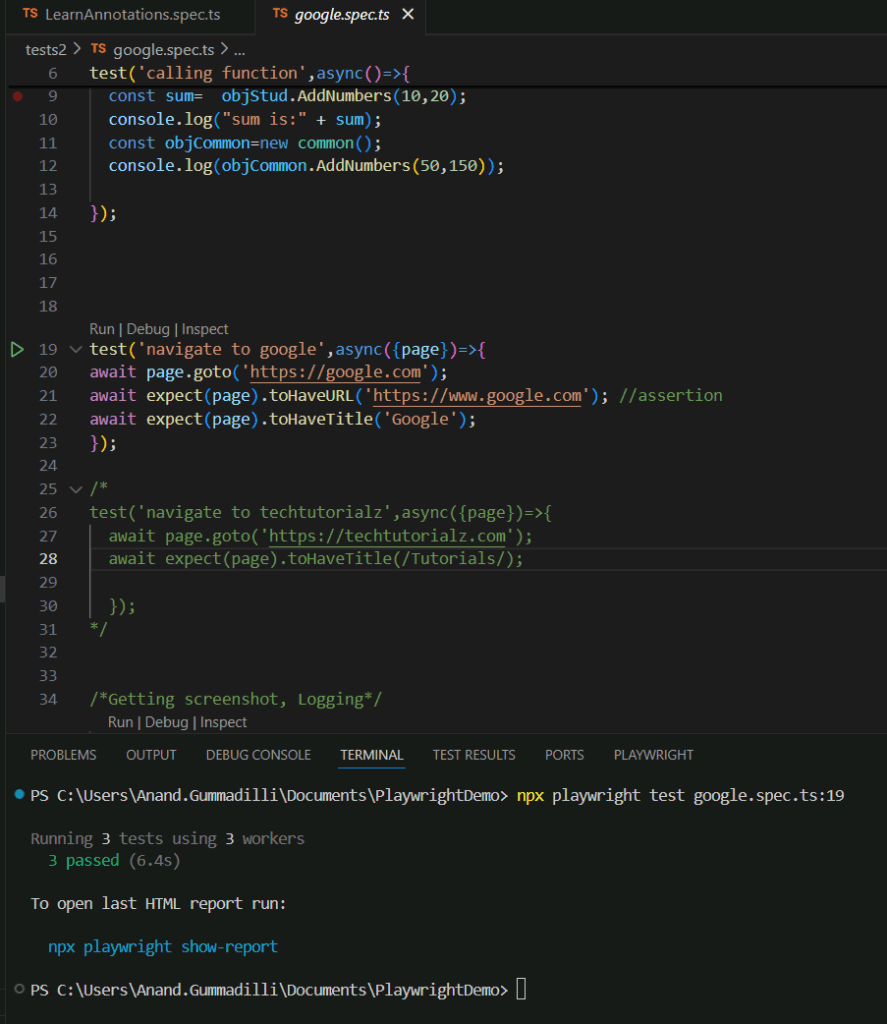
Run the test with the title
npx playwright test -g "add a todo item"
Run tests in headed browsers
npx playwright test --headed
Run all the tests against a specific project
npx playwright test --project=chromium
Disable parallelization
npx playwright test --workers=1
Choose a reporter
npx playwright test --reporter=dot
Run in debug mode with Playwright Inspector
npx playwright test --debug
Run tests in interactive UI mode, with a built-in watch mode (Preview)
npx playwright test --ui
Ask for help
npx playwright test --help
