
- Jul 13, 2026
- admin
- 0
AI debugging in Playwright means using AI/LLMs to analyze Playwright test failures, traces, screenshots, console logs, network errors, and application behavior—and then suggest or sometimes implement the fix.
For a modern Playwright + AI training curriculum, I would position it as an advanced topic rather than just “AI-generated tests.”
AI Debugging Architecture
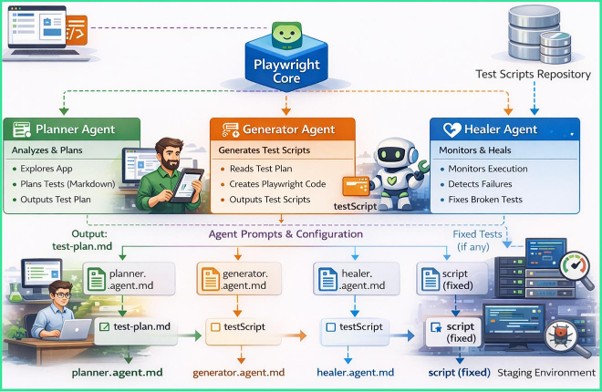
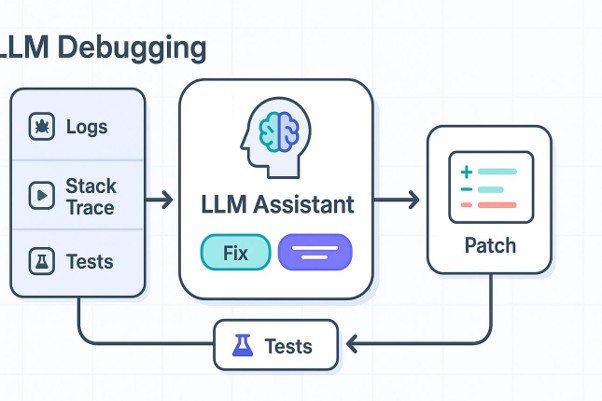
A practical flow is:
Playwright Test → Failure → Evidence Collection → AI Analysis → Root Cause → Suggested Fix → Re-run
What AI can analyze
| Evidence | AI can identify |
| Playwright error | Likely root cause |
| Screenshot | UI/layout problem |
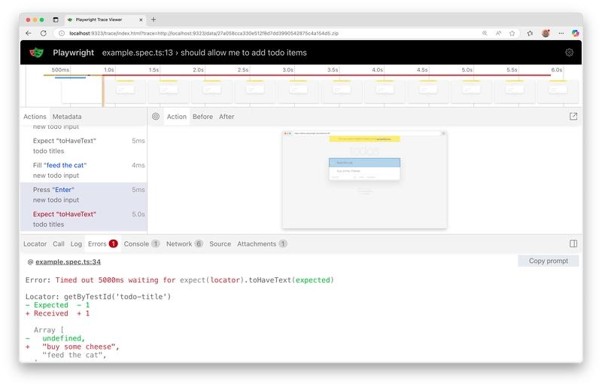
| Trace Viewer | Failed action and preceding events |
| DOM snapshot | Locator problems |
| Console logs | JavaScript errors |
| Network logs | API/HTTP failures |
| Test source | Bad assertions/actions |
| Git changes | Potential regression |
| Previous failures | Recurring patterns |
Example
Suppose your test fails:
Error: locator.click: Timeout 30000ms exceeded
waiting for getByRole(‘button’, { name: ‘Login’ })
Instead of manually investigating, an AI debugging agent could analyze:
Test failure
↓
Playwright trace
↓
Screenshot
↓
DOM
↓
Console errors
↓
Network requests
↓
Test source
↓
AI/LLM
↓
Root Cause
It might conclude:
The Login button is rendered only after the /api/auth/config request completes. The request returned HTTP 500, so the button was never displayed. The locator itself is valid.
That is much more valuable than simply saying “locator not found.”
AI debugging capabilities :
- AI-powered failure analysis
- AI analysis of Playwright Trace Viewer
- AI analysis of screenshots
- AI locator failure diagnosis
- AI analysis of console errors
- AI API/network failure diagnosis
- AI root-cause analysis
- AI-generated debugging suggestions
- AI-assisted test repair
- AI self-healing locators
- AI analysis of flaky tests
- AI comparison of passed vs failed runs
- AI analysis of CI/CD failures
- AI debugging with MCP + Playwright
- AI debugging agents
- Automatic failure → diagnosis → fix → re-run
“Debug the failed login test”
The AI agent can use MCP tools to:
Open browser
↓
Run Playwright test
↓
Capture failure
↓
Inspect DOM
↓
Take screenshot
↓
Read console
↓
Inspect network
↓
Analyze trace
↓
Identify root cause
↓
Modify test
↓
Run test again
↓
Report result


